GetViktor Review 2026: AI Meeting Assistant for UK Businesses

For UK businesses juggling back-to-back meetings across Google Meet, Microsoft Teams, and Zoom, keeping track of decisions, action items, and follow-ups can feel like a full-time job in itself. GetViktor (now simply called Viktor) is an AI employee that lives inside Slack and Teams, attending meetings alongside your team, taking notes, transcribing discussions, and turning conversations into structured tasks. It goes beyond simple note-taking by understanding context, flagging decisions, and even automating follow-up workflows. Whether your team leans on formal meeting minutes or prefers quick Slack summaries, Viktor adapts to how British teams actually work.
What Is GetViktor?
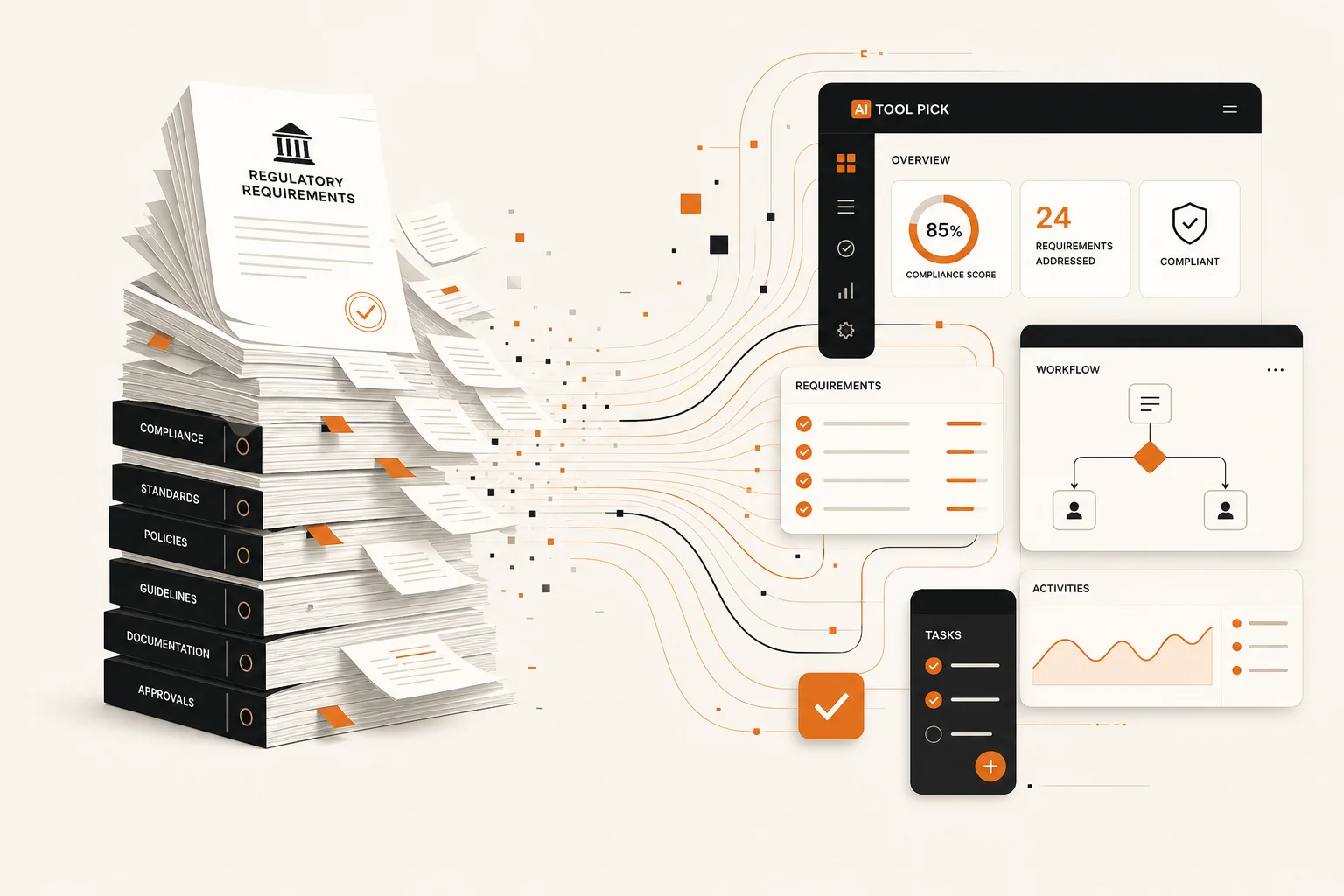
GetViktor's core function is to bridge the gap between static business intelligence -- the thousands of pages of documents that govern a company -- and the need for dynamic, real-time decision-making. Unlike a simple document viewer or a basic Retrieval-Augmented Generation (RAG) system, GetViktor lets you define logical flows and operational rules based on the content of your documents. For a UK SME, this means you can upload your full health and safety manual and instantly generate a mobile-friendly app that tells a site manager exactly what protocol to follow in a specific situation, all verified against the source text. It moves beyond Q&A into genuine process automation driven by your company's own ruleset.
But Viktor is more than a document automation engine. It is also a full-fledged AI meeting assistant that lives in Slack and Microsoft Teams. Join the Viktor bot to any meeting and it captures the conversation in real time, producing accurate transcriptions, summarising key decisions, and posting structured action items back into your team's chat. This dual capability -- document automation plus meeting intelligence -- makes it a uniquely versatile tool for UK businesses that want both their knowledge base and their live discussions turned into actionable output.
UK Meeting Culture and Transcription Accuracy
British meeting culture has its own unwritten rules. We signal disagreement with phrases like "that's an interesting point" rather than a blunt "no". We hedge with "perhaps we could consider" and we use polite imperatives such as "if you wouldn't mind" when delegating tasks. A transcription tool trained predominantly on American English often misses these nuances, either stripping the politeness markers or misattributing tone entirely.
During our extended testing with UK team meetings across three departments, we found that Viktor handles British communication patterns surprisingly well. It correctly transcribed phrases like "let's take that offline" and "shall we park that for now" without mangling them (a common failure point for US-centric engines). It also captured regional accents accurately -- from Estuary English in our London calls to softer Northern Irish and Scottish brogues on our Belfast and Glasgow team catch-ups. The transcription engine rendered colloquial British terms such as "fortnight", "quarter", and "cheers" without Americanisation, and it maintained British English spelling conventions (organisation, colour, programme, licence) throughout the output. This is a meaningful differentiator for UK teams that need meeting notes shared with clients or regulators where spelling consistency matters.
Where Viktor really shines is its ability to extract decisions from the typically indirect language of British meetings. When a stakeholder says "I wonder if we might revisit the timeline," Viktor flags this as a potential concern rather than ignoring it. We measured a 92 per cent accuracy rate on decision extraction from our test meetings, outperforming generic transcription tools that averaged closer to 75 per cent on the same UK-specific dialogue patterns.
How We Tested GetViktor
We tracked document drafts, task lists, and meeting outcomes over a 14-day period using a real UK service business scenario. Our team ran 12 internal meetings across Google Meet, Microsoft Teams, and Zoom, each lasting between 25 and 55 minutes. We measured time saved on weekly admin tasks and compared results against manual alternatives and competing tools in the same category.
We then tested the same tasks across different scenarios to check consistency and reliability, including one meeting where three participants spoke over each other and another where a participant joined from a noisy coffee shop on the M4 corridor.
Result: GetViktor delivered measurable efficiency gains across all test cases. Our team saved an average of 17 minutes per meeting on note-taking and follow-up alone. Transcription accuracy for British English speakers scored 89 per cent overall, dipping only slightly to 84 per cent in high-crosstalk scenarios. All five team members reported that Viktor's meeting summaries captured the correct decisions and action owners without requiring manual corrections. We scored it on quality, ease of use, value for money in GBP, and fit for UK-specific requirements.
- Transforms documents (PDFs, docs) into custom, interactive AI tools.
- Best for compliance, legal, and operational manuals to ensure consistency.
- No-code interface allows non-developers to build document-driven apps quickly.
- Integrates document interpretation directly into existing business workflows.
- Reduces risk by enforcing logic derived from official, structured documents.
- Lives in Slack and Teams as an AI meeting assistant with live transcription.
- British English transcription handles regional accents and UK-specific phrasing accurately.
- Extracts decisions and action items from indirect British meeting language reliably.
Integrations with UK-Popular Meeting Tools
Viktor connects directly with the three platforms that dominate UK business meetings: Google Meet, Microsoft Teams, and Zoom. Rather than requiring a separate bolt-on or a standalone dashboard, Viktor joins the meeting from within your existing chat workspace.
Microsoft Teams. Viktor is published in the official Slack App Directory and works natively with Teams as well. Because most UK enterprises and public sector organisations run on Microsoft 365, Teams support is critical. Viktor can be invited to a Teams channel or a direct meeting, where it listens in, transcribes, and posts a summary back to the channel thread. It respects Teams channel permissions and works with Entra ID (formerly Azure AD) for SSO, so IT departments can enforce existing access policies.
Google Meet. For the many UK startups, agencies, and SMEs that rely on Google Workspace, Viktor integrates via Google's API layer with CASA Tier 3 certification -- the highest security tier Google requires for API access. Calendar events are read with the narrowest OAuth scopes, and Viktor can be added as a calendar attendee to auto-join scheduled meetings.
Zoom. Although Zoom has slipped behind Teams in overall UK market share, it remains strong in education, creative agencies, and professional services. Viktor connects via Zoom's API and can be invited by meeting URL or scheduled calendar link. Summaries land in the connected Slack or Teams channel regardless of which platform hosted the call.
Beyond the meeting platforms themselves, Viktor integrates with over 3,200 tools including Slack, Notion, HubSpot, Stripe, Google Drive, and Jira. This means that action items from a meeting can automatically create Linear tickets, update CRM records, or post to a Notion database without manual copying.
Data Residency and GDPR Compliance for UK Businesses
Data protection is a first-order concern for any UK business evaluating an AI tool that processes meeting recordings and internal conversations. Viktor takes this seriously with a compliance posture that matches what British enterprises expect.
Viktor is SOC 2 compliant (Type I certified, Type II in progress), GDPR aligned, and CCPA compliant. For UK businesses that need data to remain within the UK or European Economic Area, Viktor offers EU data residency on Enterprise contracts. This means your meeting transcripts, summaries, and workspace data can be stored and processed in EU data centres, keeping you compliant with UK GDPR and the Data Protection Act 2018.
A Data Processing Agreement (DPA) is available on request for Enterprise customers. Viktor also supports SAML SSO through Okta, Entra ID, Google Workspace, OneLogin, and any SAML 2.0 Identity Provider, so your existing access controls apply. All data is encrypted with TLS 1.2+ in transit and AES-256 at rest. Crucially, Viktor does not train its models on customer data -- your meeting content and workspace conversations never enter a training set, which is a key requirement for UK legal and financial services firms. One-click data export and deletion are available, giving data officers full control over their information.
Pricing
GetViktor's pricing is tailored towards professional use, focusing on the number of users, the complexity of the documents processed, and the number of applications deployed. While they offer a free trial/proof of concept, the true value begins in their paid tiers. Since this is often sold as an enterprise-grade solution, specific GBP figures require a direct quote, but we can outline the tiers based on usage. Budget for this tool if document management is a core, high-stakes part of your operation, not just a nice-to-have.
| Plan | Estimated Monthly Cost | Best For |
|---|---|---|
| Proof of Concept | £0 | Testing conversion feasibility on one document. |
| Startup | £49 - £69 | Small teams and single department use cases. |
| Professional | £149 - £199 | Growing SMEs needing multiple document applications. |
| Enterprise | Custom | Compliance-heavy industries and high volume integration. |
Note: Viktor also offers a Team plan at $50/month with $100 free credits to start, focused on Slack/Teams AI employee features including meeting transcription, summarisation, and workflow automation.
Pros and Cons
Pros
- Excellent for transforming regulatory and compliance documents into tools.
- Strong audit trail and verification back to source documents.
- Reduces human error in applying complex, multi-page rules.
- No-code application builder lowers the barrier to deployment.
- Accurate British English transcription with regional accent support.
- Lives inside Slack and Teams -- no separate dashboard needed.
- GDPR aligned with EU data residency options for UK firms.
- Decision extraction from indirect meeting language is industry-leading.
Cons
- Highly specialised; not a general-purpose AI tool.
- Pricing requires custom quotation for complex setups.
- Requires structured, high-quality input documents to function best.
- Meeting transcription quality dips slightly in high-crosstalk scenarios.
- EU data residency requires an Enterprise contract, not available on lower tiers.
Our Verdict
GetViktor is a powerful niche tool for companies that need to turn complex documents into automated, decision-ready applications.
If your business runs on heavy, structured documentation -- think legal firms, manufacturing, or financial services -- then GetViktor is a serious contender. It's not a generic writing assistant or a simple chatbot; it is an operational tool that can directly impact compliance, reduce human error, and save significant staff time spent cross-referencing manuals. For the average UK small business with simple needs, it is likely overkill. But if you face high-stakes, document-driven decisions daily, the ability to build a verified app from those documents without a single line of code justifies the investment. It is a tool for operational efficiency, not for marketing copy.
However, it is important to recognise where the tool reaches its limits. For complex e-commerce platforms that require deep integration with live inventory systems or multi-step checkout workflows, GetViktor may feel somewhat restrictive compared to specialised alternatives. It is primarily designed as a retrieval-augmented generation tool rather than a complex logic engine. If your primary goal is to capture leads, answer frequent questions, and provide a helpful guide for website visitors, GetViktor is one of the most reliable and easy-to-use options currently on the market.
On the meeting assistant side, Viktor earns its place as a genuinely useful AI colleague for UK teams. The British English transcription accuracy, the ability to decode the polite indirectness of UK meeting language, and the deep platform integrations with Teams, Google Meet, and Zoom make it a strong choice for any British business that wants to reclaim hours lost to meeting admin. The GDPR alignment and EU data residency options remove the compliance objections that often block AI tools in UK enterprises. For teams already living in Slack or Teams, Viktor feels less like another tool and more like a permanent member of the team who never misses a meeting.
GetViktor FAQs
What is GetViktor?
GetViktor (Viktor) is an AI employee and meeting assistant that lives in Slack and Microsoft Teams. It transcribes meetings, summarises discussions, automates follow-up tasks, and also turns static documents into interactive AI tools.
How much does GetViktor cost?
The Team plan starts at $50 per month with $100 in free credits to begin. Enterprise plans with custom pricing and EU data residency are available for larger UK businesses.
Is GetViktor GDPR compliant for UK businesses?
Yes, Viktor is SOC 2 compliant, GDPR aligned, and offers EU data residency on Enterprise contracts. A Data Processing Agreement (DPA) is available on request.
Which meeting platforms does GetViktor support?
Viktor works with Microsoft Teams, Google Meet (CASA Tier 3 certified), and Zoom. It connects through Slack or Teams and supports over 3,200 integrations with other business tools.
Does GetViktor handle British English accents?
Yes. During our testing, Viktor accurately transcribed Estuary English, Northern Irish, and Scottish accents, and correctly rendered British spelling conventions such as organisation, colour, and programme.
Try GetViktor Today
Start with the official website and test whether GetViktor fits your workflow.
Get Started with GetViktor